

BIM Pro Station — the central information and workstation on the construction site
A comprehensive solution for digital execution: Hardware. Applications. Services.
The BIM Pro Station makes digital construction information available exactly where it’s needed—in large format, reliably, and right on the job site. It combines job-site-ready hardware, the applications used in the project, and professional services into a comprehensive solution for digital construction.
A Comprehensive Solution — Three Dimensions
Hardware, applications, and service are all interconnected.
Rugged infrastructure for construction site use
Designed for daily outdoor use—in any weather, throughout the entire project.
Access to the Applications Used in the Project
BIM Pro Station integrates seamlessly into the existing digital project environment and provides access to the relevant applications and data platforms.
Professionally configured, operated, and supported
The BIM Pro Station offers more than just hardware—for reliable day-to-day operation.
What Sets the BIM Pro Station Apart
Three qualities that matter in model-based construction and digital job site operations.
Durability and Ergonomics
Durable construction, anti-glare 55" 4K touchscreen (IP65), and adjustable screen mount for ergonomic use.
Mobility and Transportation
Lockable heavy-duty casters or legs, crane lifting points, and forklift shoes.
Self-Sufficient Operation and Reliability
UPS with expansion batteries, 5G dual-SIM router, and a weatherproof IT enclosure with a heating/ventilation system for reliable operation in any weather.
Features at a Glance
Every detail of the BIM Pro Station is optimized for use on construction sites—based on many years of practical experience and feedback from experienced users.
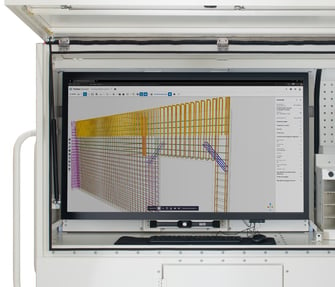
High-Brightness 55-Inch Touchscreen
The anti-glare, weather-resistant display ensures optimal visibility in all lighting conditions.
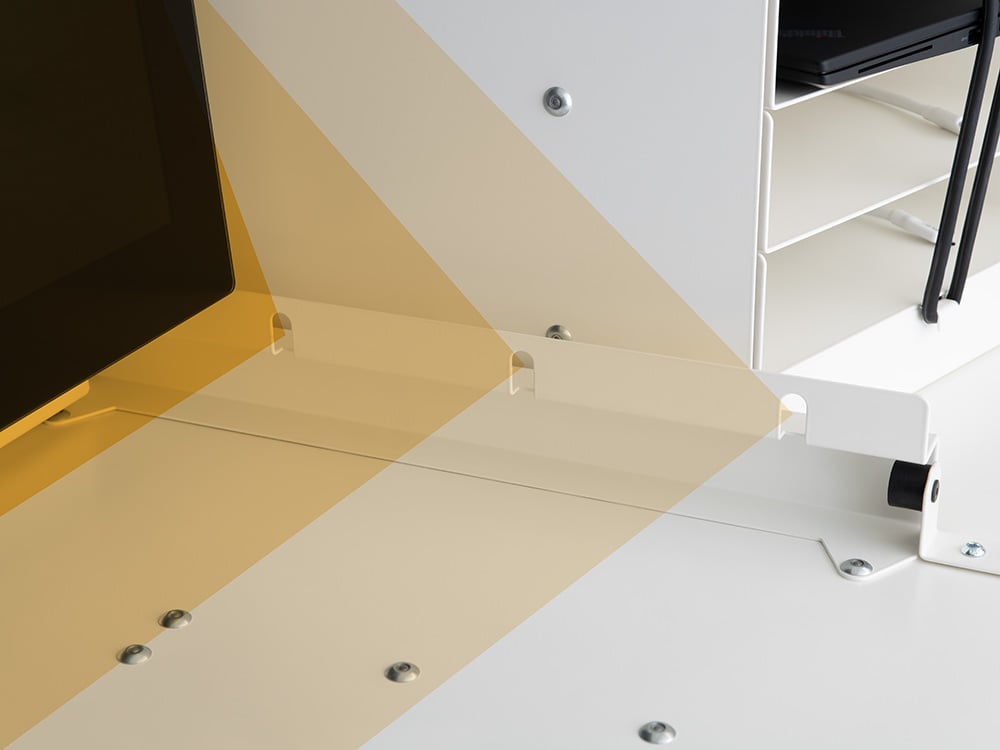
Adjustable Screen
With four different screen positions, it ensures comfortable and effective work in touch mode.
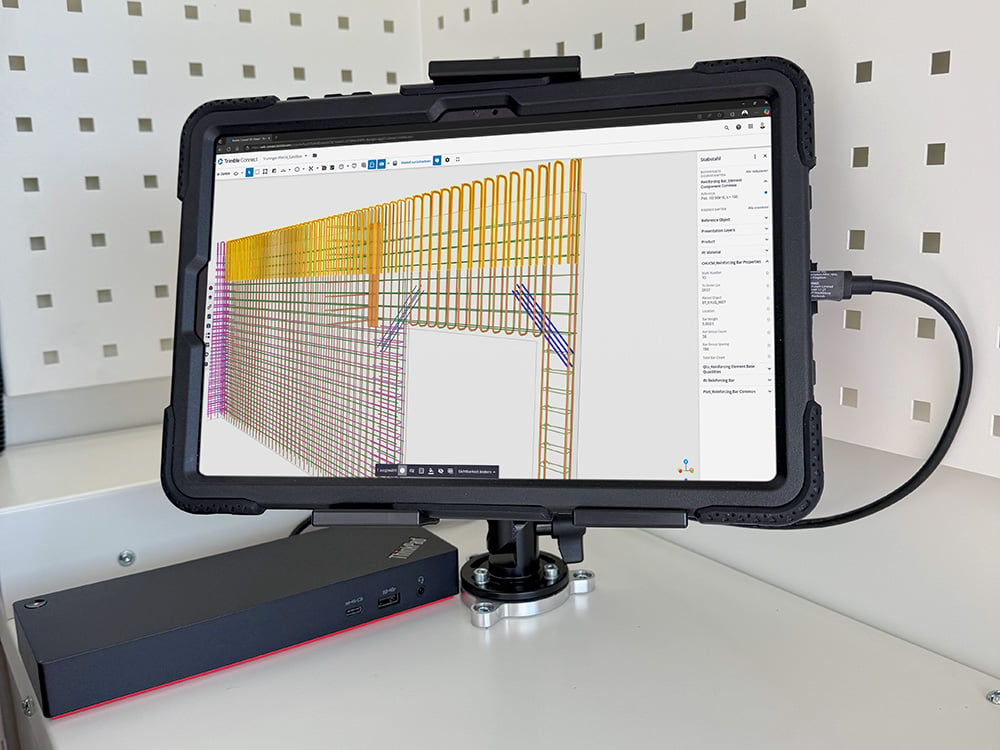
Tablet Connection
Thanks to the built-in tablet connector, you can also stream content from your tablet or personal laptop to the large screen. A tablet mount is available as an option.
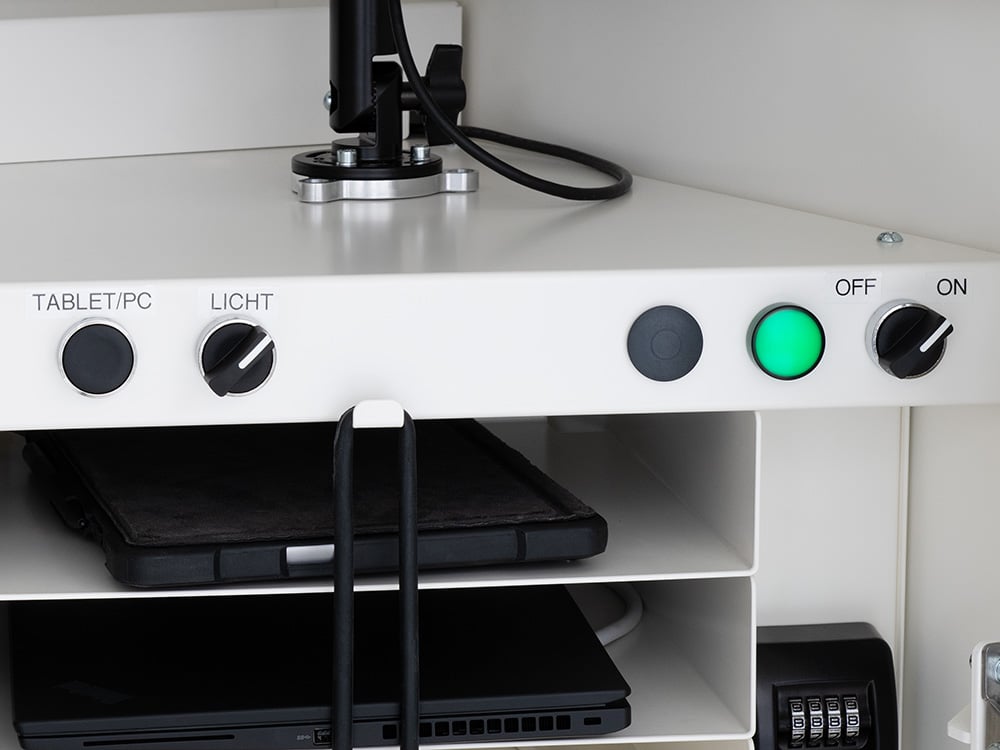
Intuitive Control Panel
With its intuitive controls, you can easily turn the system on and off, monitor the system status, and select the data source. There is no need to open the IT compartment to do so.
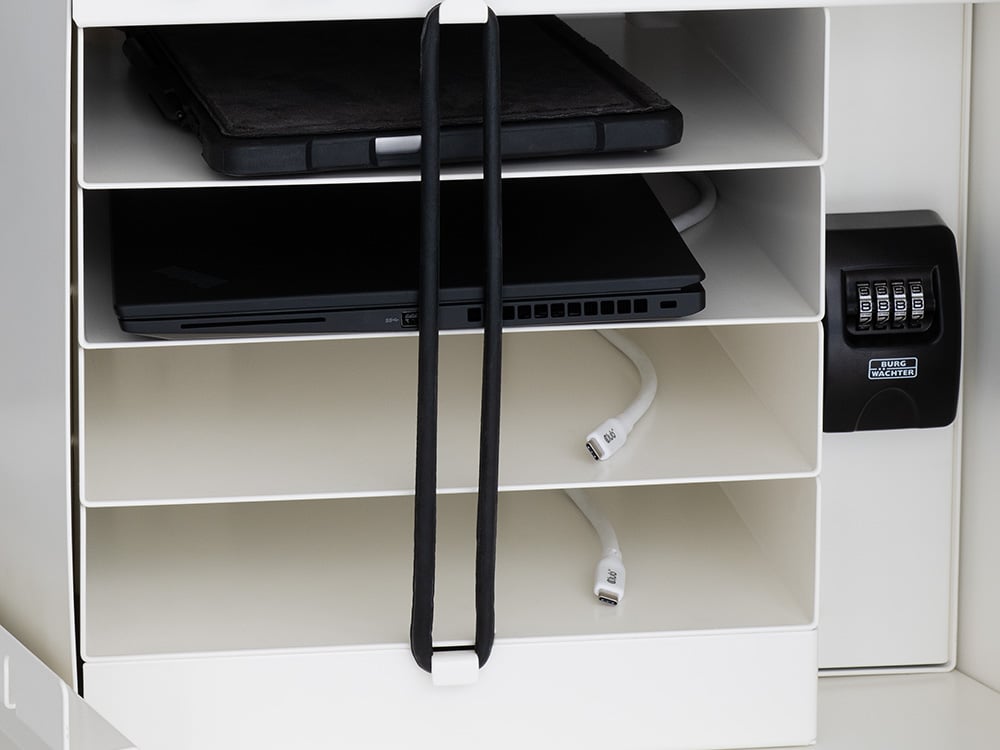
Tablet Compartments with Charging Ports
The console can securely store up to four construction site tablets and charge them using built-in USB-C cables.
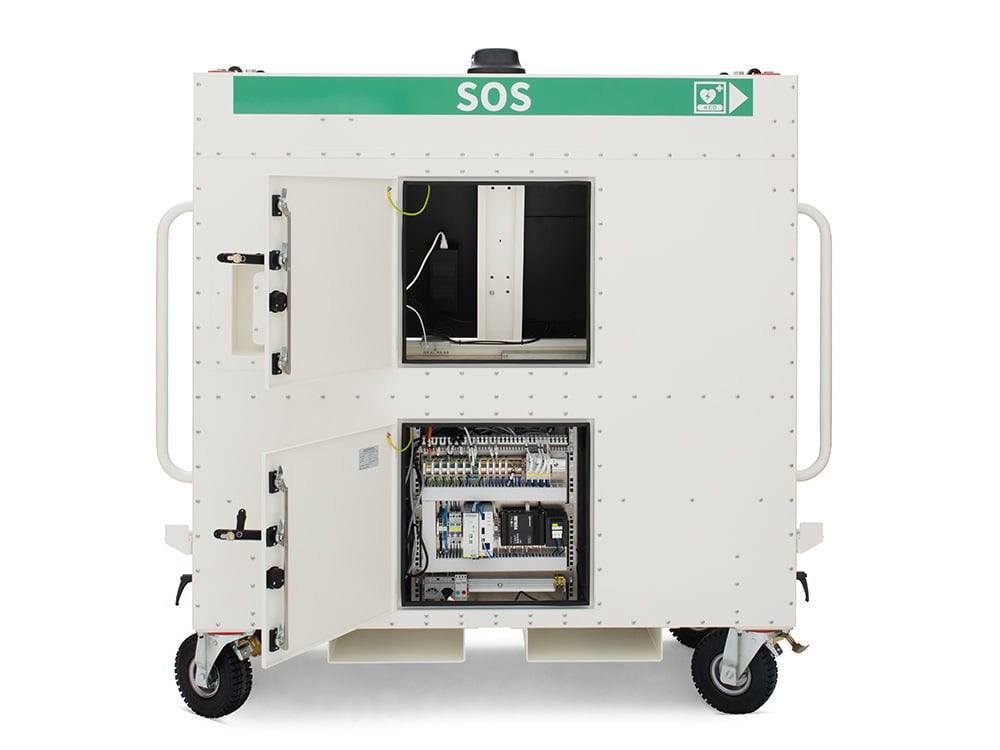
Service access panels on the back
The maintenance-friendly design allows for quick and easy access to IT components, cabling, and the back of the screen.
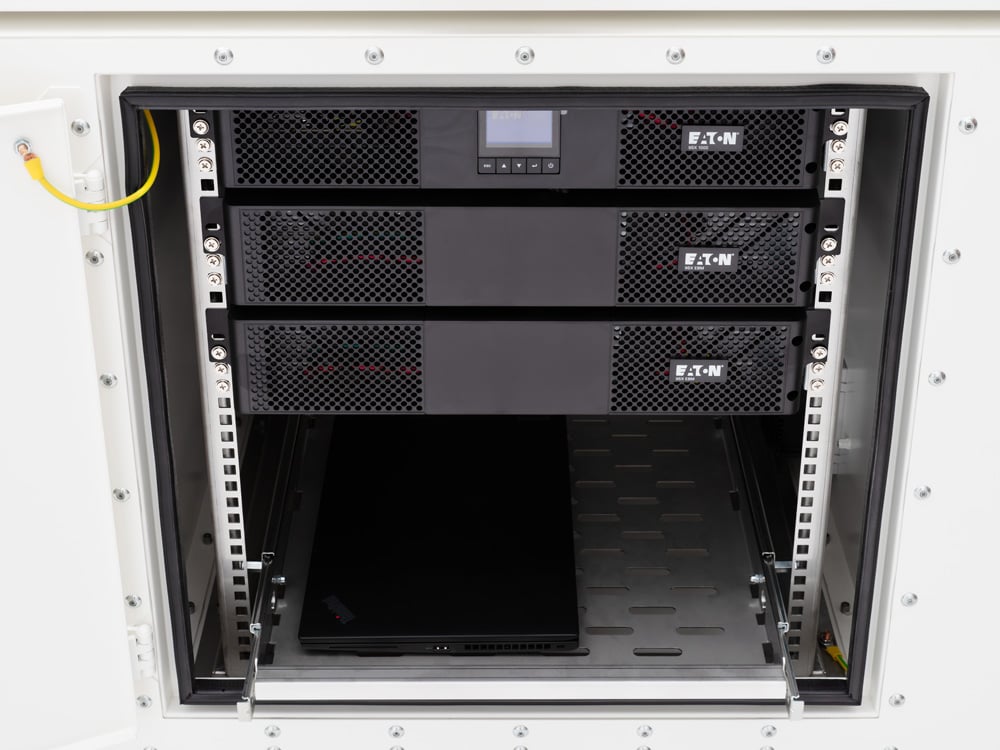
Expansion Batteries for UPS
For off-grid operation, the transport-safe rack offers space for up to four expansion batteries in addition to the UPS module.
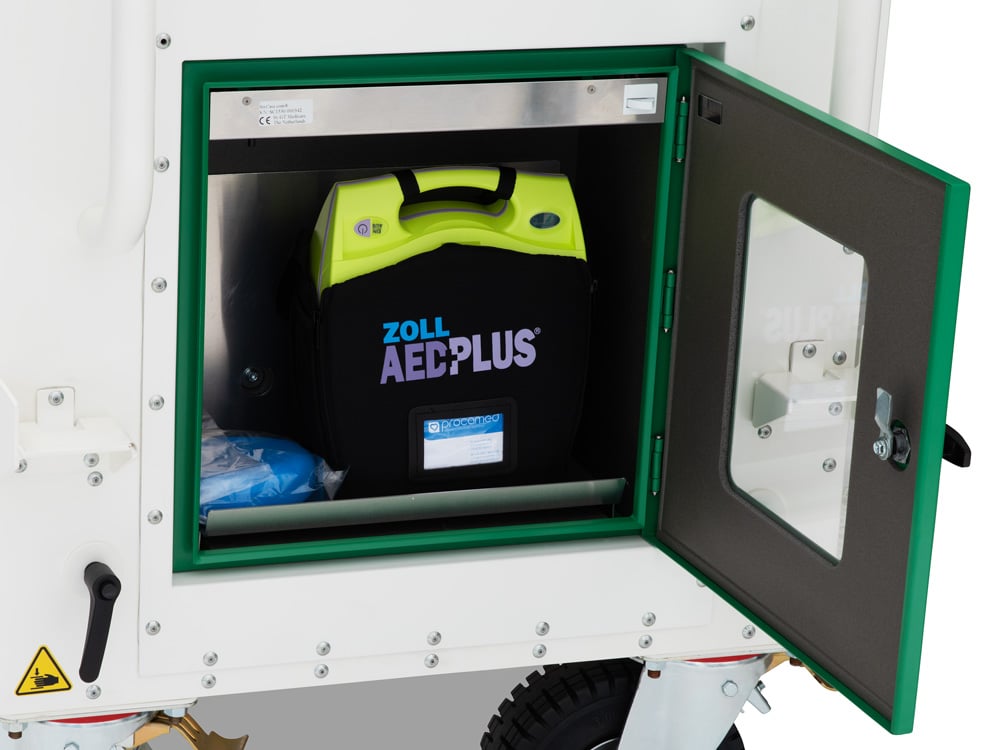
Installation of an AED Wall Cabinet
In the SOS version, the left-side compartment is replaced by a shock- and water-resistant AED wall cabinet equipped with heating and cooling functions.
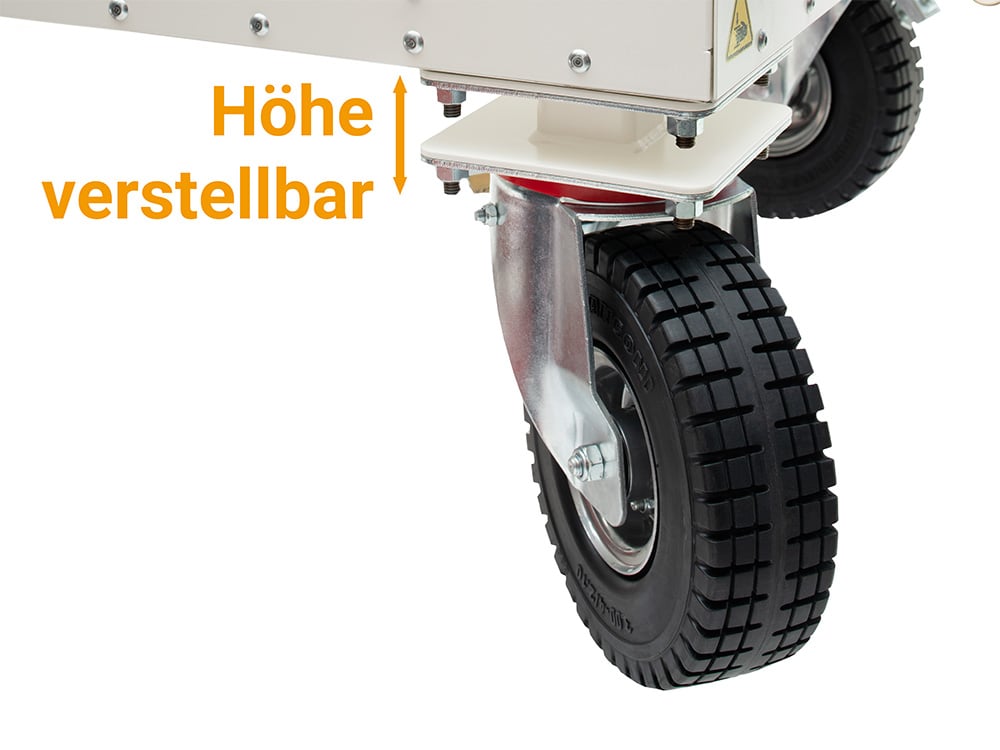
Height-Adjustable Heavy-Duty Casters
To ensure stable placement on uneven surfaces, the height of each heavy-duty caster can be adjusted.
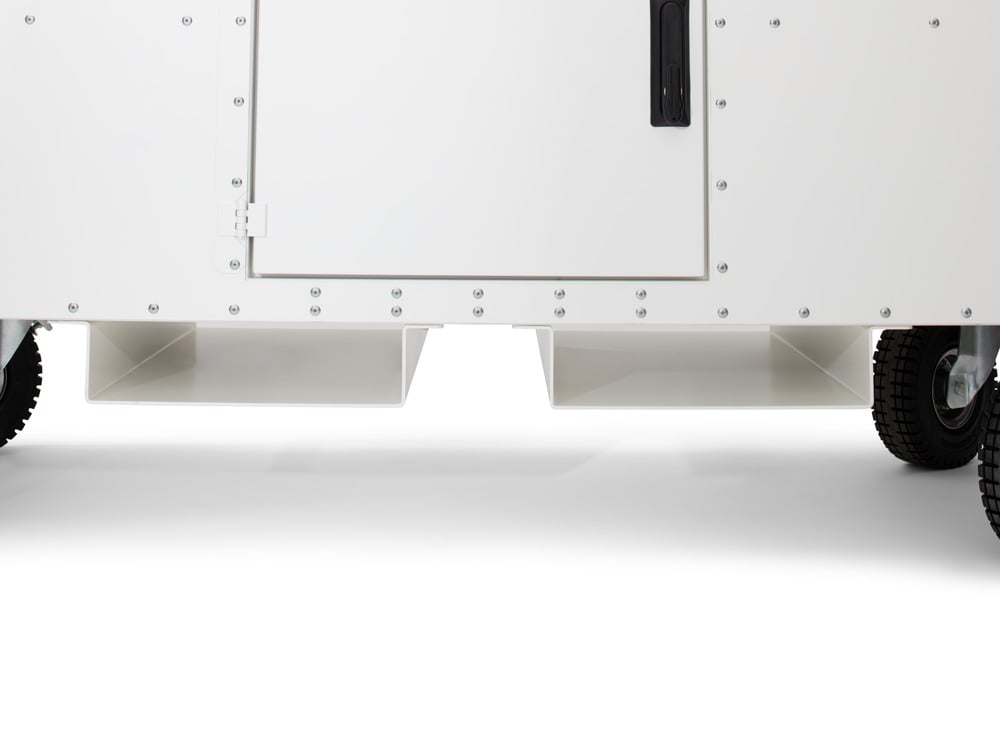
Shoes for Forklifts
Thanks to the two forklift shoes, the BIM Pro Station can also be moved effortlessly with a forklift.
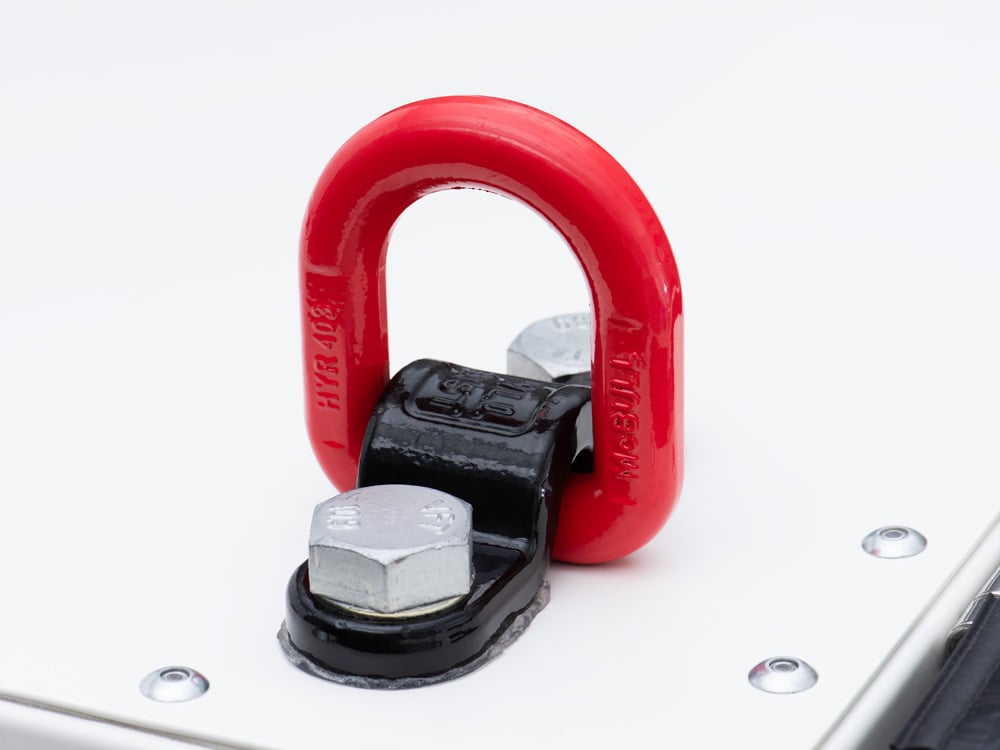
Lifting Points for Crane Transport
Four lifting points for crane transport enable the BIM Pro Station to be moved safely and precisely by crane—quickly and securely.
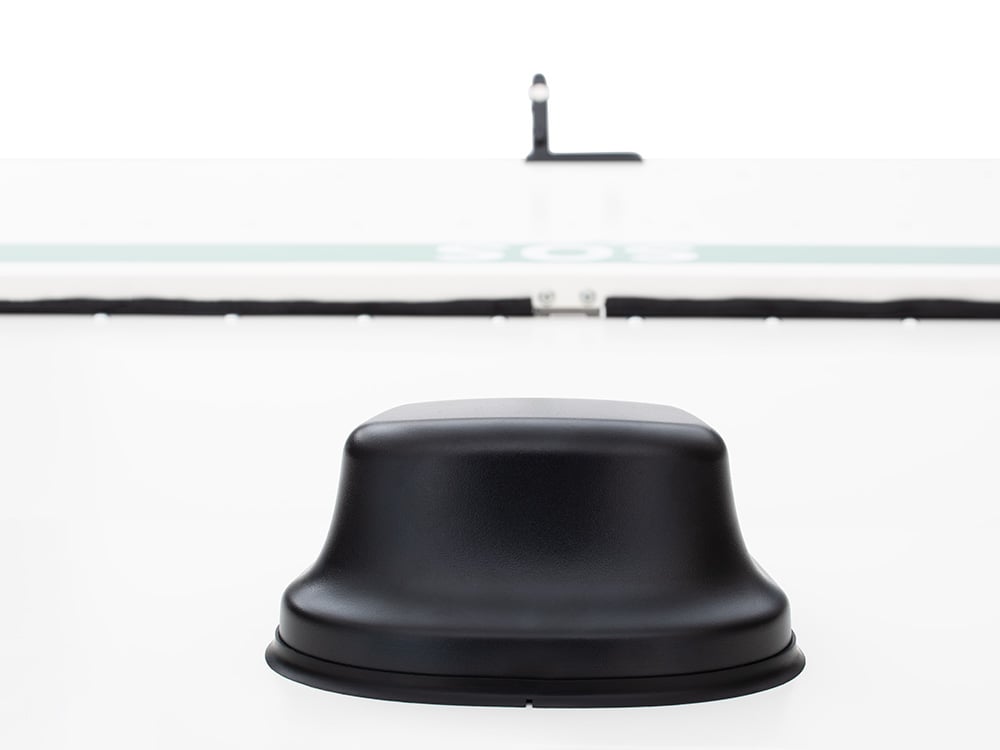
Internet Connection on the Construction Site
The built-in 5G dual-SIM router (eSIM) and Wi-Fi antenna ensure reliable connectivity on the construction site.
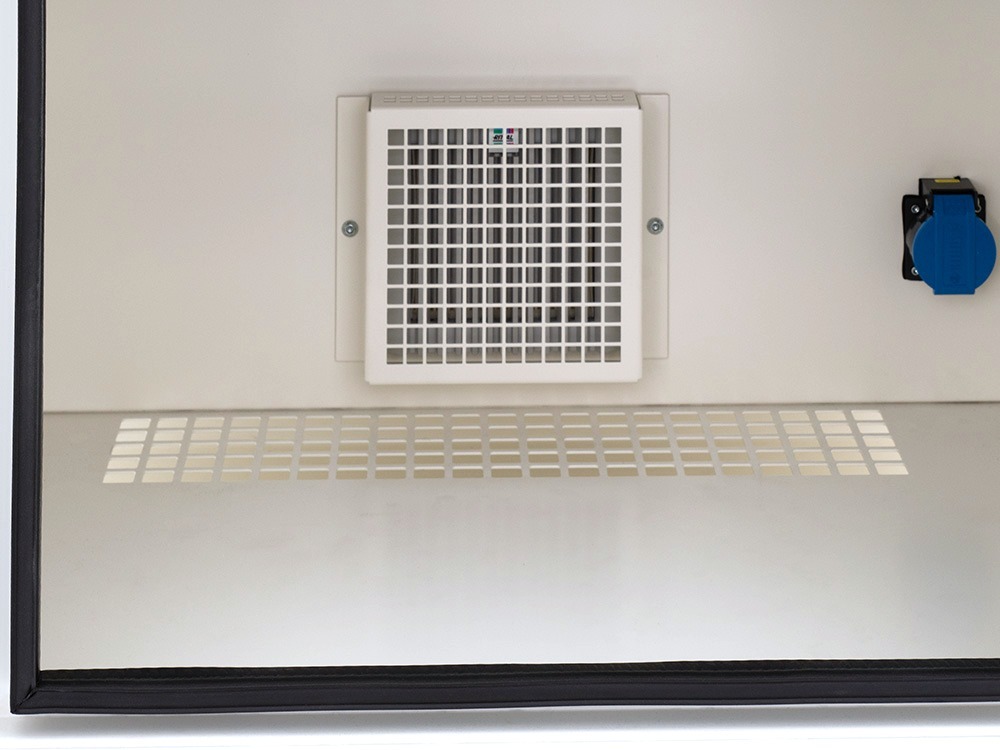
Heating and Ventilation System
The UPS-supported heating and ventilation system with filters ensures that the IT components remain dust-free and that no condensation forms.
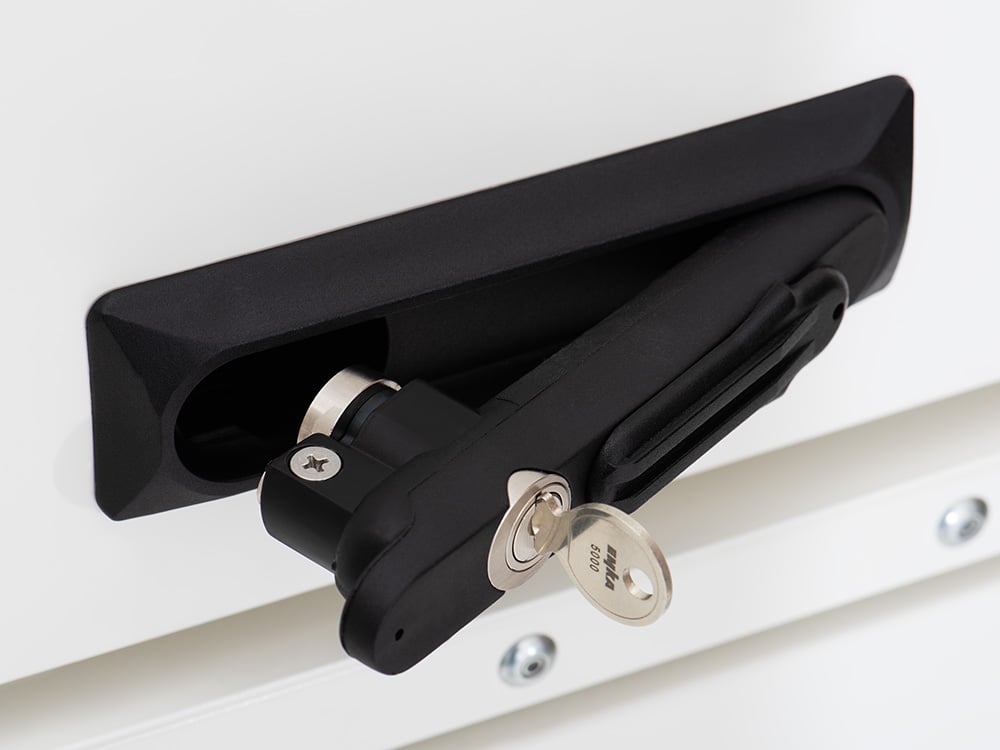
Lockable Areas
To prevent theft, all entrances are lockable.
BIM Pro Station Model Variants
Three models—same rugged housing, different configurations. All variants are optimized for use with CDE platforms and digital execution processes.
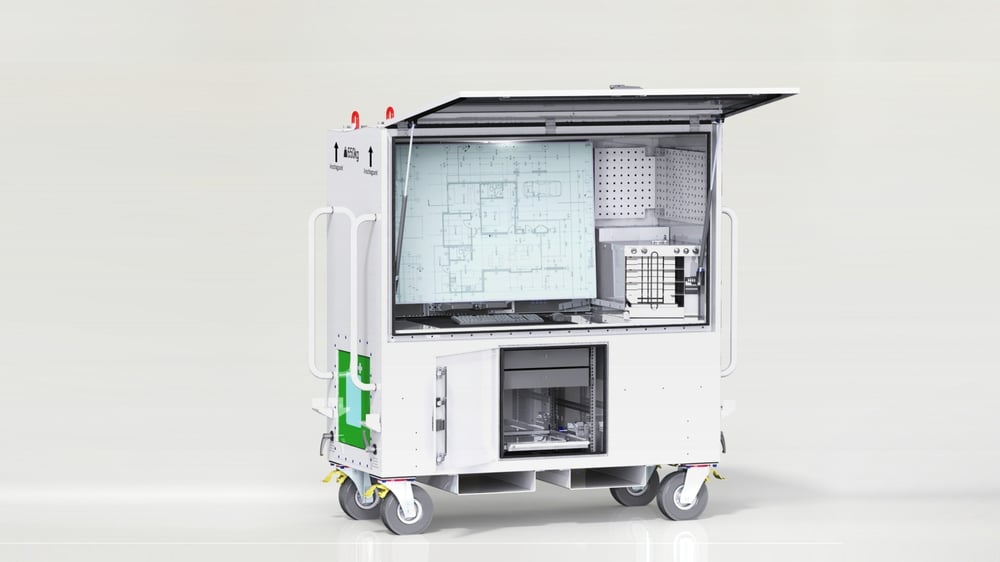
BIM Pro Station Expert
Maximum performance for the highest demands. The Expert Series sets the standard for mobility, self-sufficiency, reliability, and ease of use.
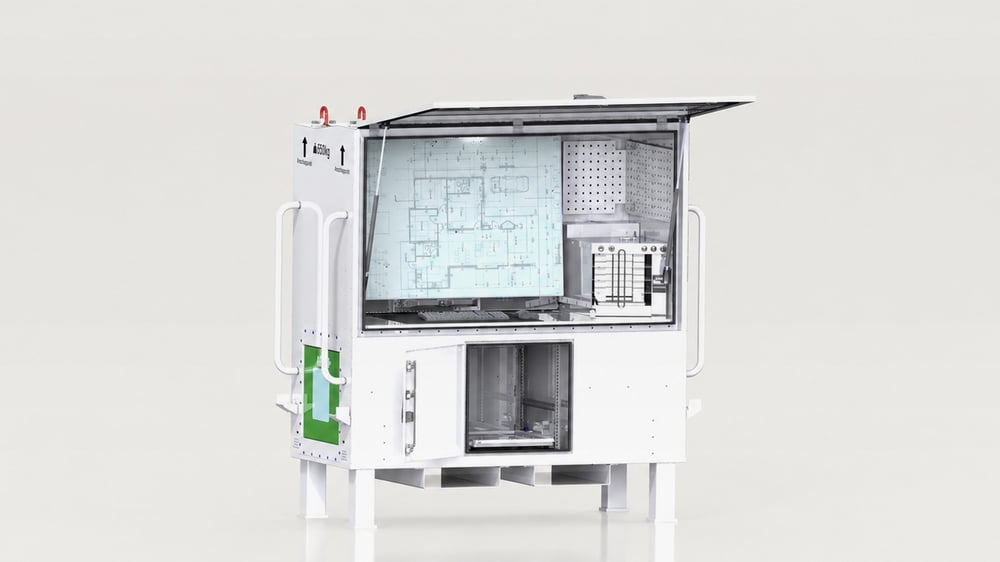
BIM Pro Station Advanced
The perfect balance between performance and cost. The Advanced series offers comparable performance—focused and cost-optimized.
BIM Pro Station Essential
Your gateway to the world of digital home design. The Essential model offers a robust set of basic features at an attractive price.
Questions about BIM Pro Station?
Here you’ll find answers regarding its use, features, implementation, operation, and cost-effectiveness.
Feature Comparison
All three models at a glance.
| Product Line | Expert | Advanced | Essential |
|---|---|---|---|
| Basic Mechanical Configuration | |||
| Sturdy sheet metal housing, powder-coated | ● | ● | ● |
| Heavy-duty casters with height adjustment | ● | ||
| Legs (instead of casters) | ● | ● | |
| Console with tablet compartments | ● | ● | |
| Adjustable monitor mount | ● | ● | |
| Perforated sheets in the work area | ● | ● | ● |
| Lockable flaps/doors | ● | ● | ● |
| Service access panels on the back | ● | ● | ● |
| Rack system for IT components | ● | ● | |
| Lifting points for crane transport | ● | ● | ● |
| Pads for forklift transport | ● | ● | ● |
| PVC weather protection (magnetic) | ● | ● | ● |
| Basic electrical/electronic equipment | |||
| Screen | 55", 4K UHD, touchscreen, full IP-65 protection, matte, anti-glare, 1000 nits | 55", 4K UHD, touchscreen, IP-65 protection (front), matte, slightly anti-glare, 430 nits | 55", 4K UHD, non-touch, matte, anti-glare, 500 nits |
| Switch monitor to second source | ● | ● | |
| UPS (standalone operation) | By default | ||
| Integrated heating and ventilation system | ● | ● | |
| Router | 5G Dual-SIM, eSIM | 5G Dual-SIM | |
| Antenna | ● | ● | |
| Control panel on the console | ● | ● | |
| Interior lighting | ● | ● | ● |
| Outlets in the work area | ● | ||
| Outlets in the side compartments | ● | ● | ● |
| Charging ports for tablet compartments | ● | ● | |
| Input set (mouse, keyboard, mouse pad) | ● | ● | ● |
| Equipment Options | |||
| UPS (for off-grid operation) | Standard | Available separately | |
| Expansion batteries (for UPS) | ● | ● | |
| Laptop tray | ● | ● | |
| Rack PC | ● | ● | |
| SOS Version | ● | ● | ● |
| Tablet Mount | ● | ● | |
| Custom branding | ● | ● | ● |
| Availability | |||
| Delivery | In stock, while supplies last | Upon request | Upon request |
Smart Extras for All Models
Optional additions that make a visible difference on the job site.
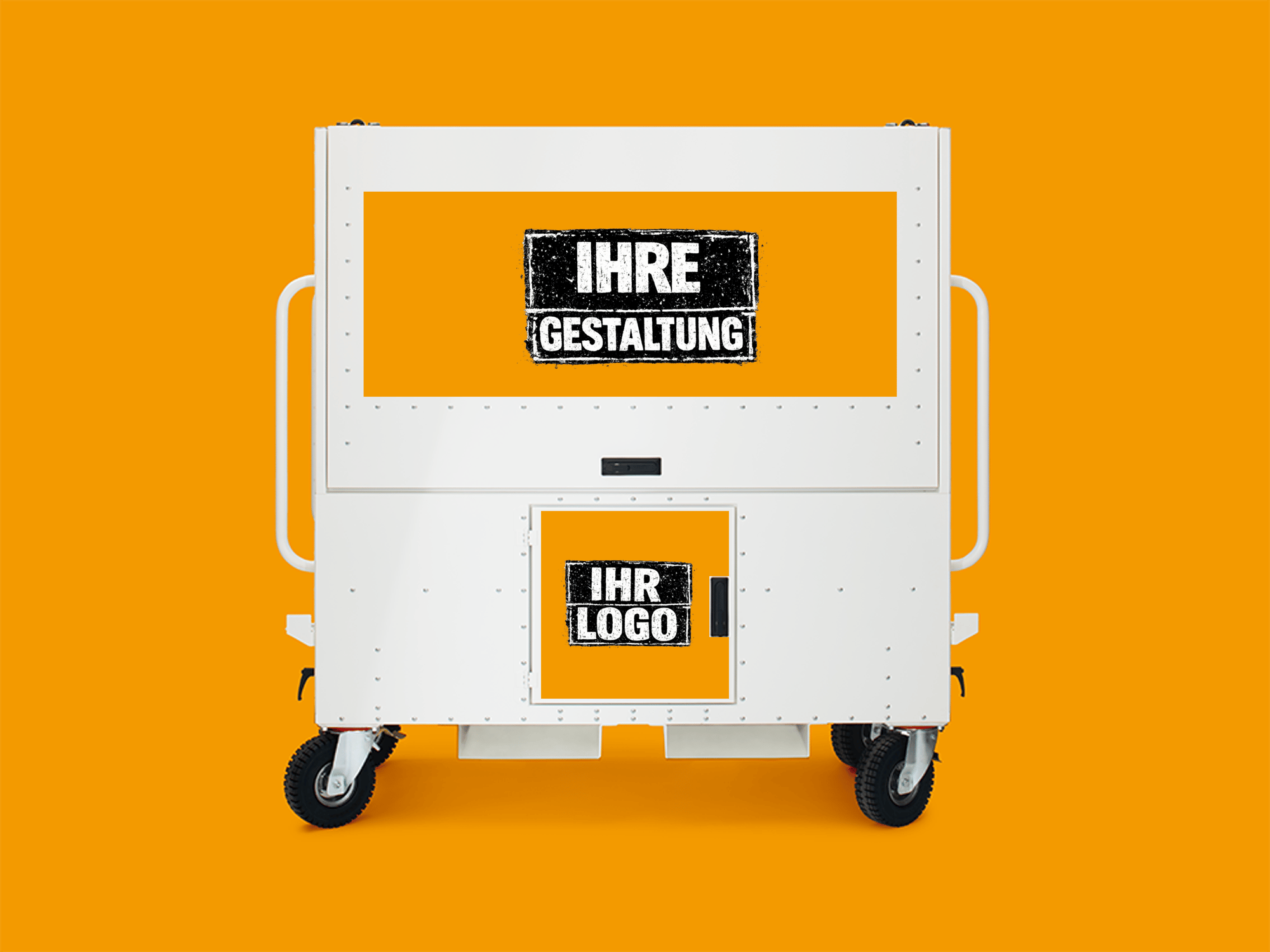
Custom Branding
Strengthen your brand identity with a custom-designed BIM Pro Station—for a professional, recognizable presence on the construction site.
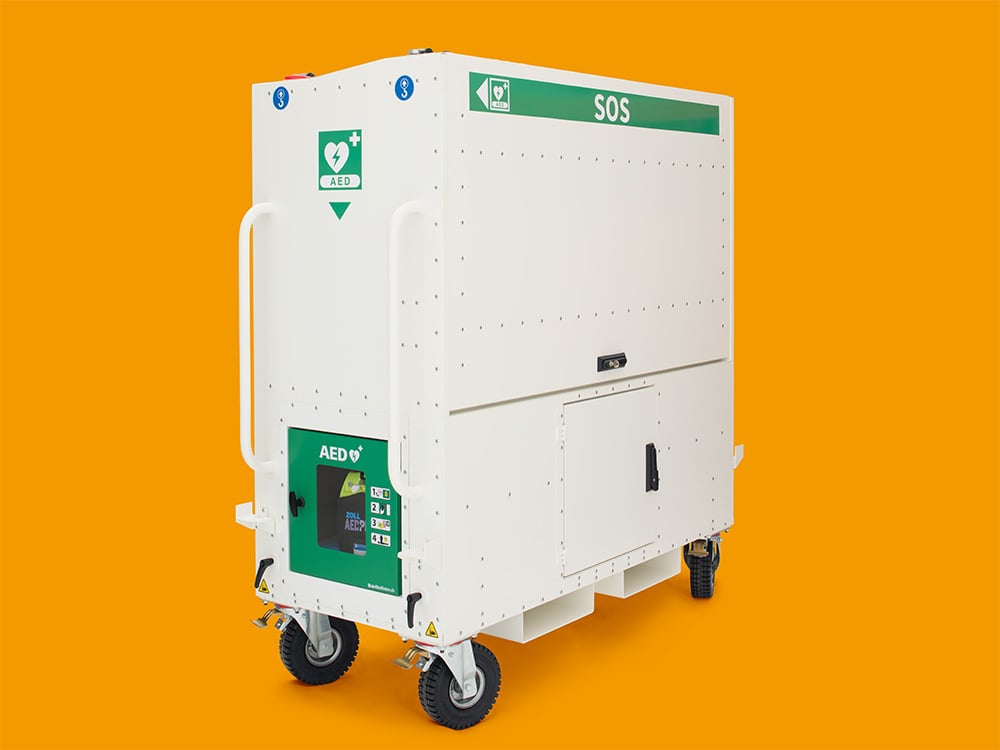
SOS Version
Improve safety on the construction site. Quick access to essential emergency equipment in case of an emergency.
Additional Services
Our team supports you with additional services and enhancements for your BIM Pro Station.
Interested in the BIM Pro Station?
Schedule a demo or request a quote.